CZ-01 // THEMES
From HQ BasicGHL themes that make every sub-account look like yours
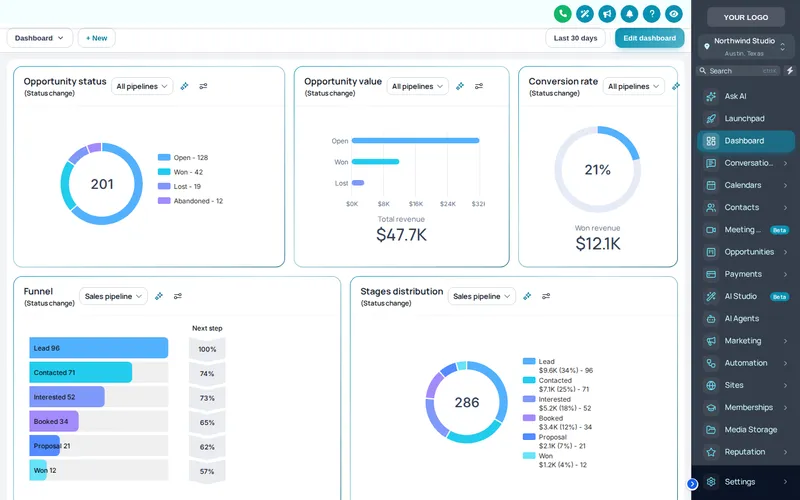
GHL themes from the customizer restyle the whole GoHighLevel interface: sidebar, header, page background, cards, buttons, tables and the login page. There are 27 complete themes and 11 UI kits, every one works in dark mode, and the theme you publish at agency level reaches every sub-account at once.
One-time payment, lifetime access. Login emailed within minutes.
CZ-01.1 // LIVE PREVIEW
Switch GHL themes live
Theme
Range
UI kit
Mode
View
The real customizer engine restyling a copy of a GoHighLevel sub-account. The sidebar, the collapse button and the Save contact modal inside the frame all work.
- Complete themes
- 27
- UI kits
- 11
- Modes
- Light + dark
- To install
- One line
CZ-01.2 // WHAT YOU GET
Everything a theme controls
27 complete themes
Each theme sets the sidebar, header, page background, type, corner radius, UI kit and a matching login page, so you start from a finished look rather than a colour picker.
11 UI kits
Soft shadow, bordered flat, glass, brutalist, studio gradient, halo glow and more. A kit restyles cards, buttons, inputs, tables, tabs and modals in one move.
Dark mode that is designed
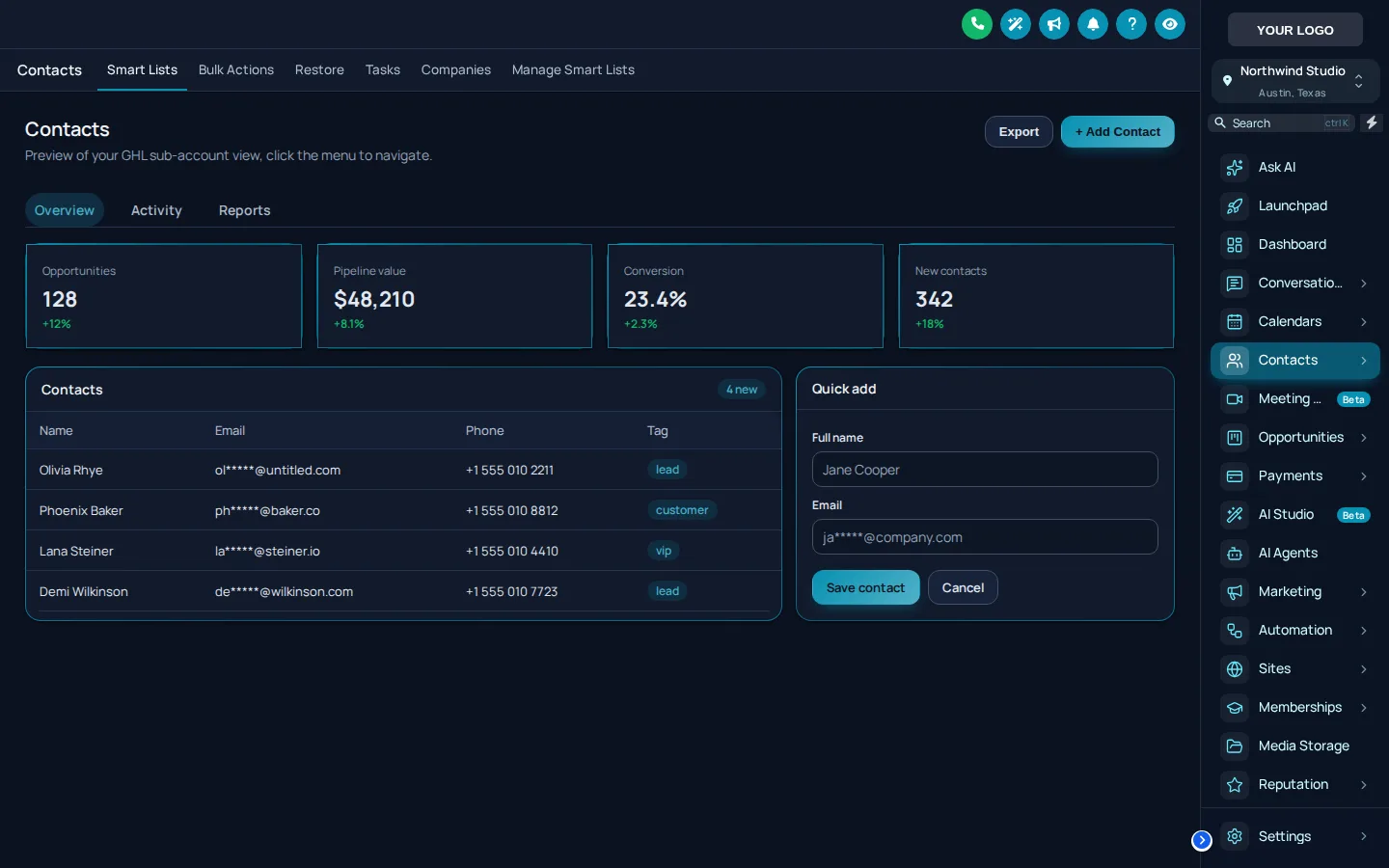
Dark mode has its own surface, raised, border and text colours rather than an inverted filter, so charts and badges stay readable.
Sidebar or top bar
Dock the menu left or right, or move it to a top bar. The layout choice is part of every package.
Your logo and colours
Upload a logo, set a brand colour and a font; the theme recolours buttons, focus rings, links and charts to match.
Privacy mode
One eye button blurs names, emails and phone numbers on screen, which is what you want before you share your screen on a call.
CZ-01.3 // PROBLEM TO OUTCOME
From rented look to your platform
CZ-01.3 // BEFORE
Every client you onboard logs into the same purple-and-grey GoHighLevel everyone else resells. Your agency name is in the URL and nowhere else, so the software reads as a tool you rent, not a platform you run.
CZ-01.3 // AFTER
Pick a theme and a UI kit, drop in your logo and brand colour, publish once. Every sub-account, the agency view and the login page switch to your look together, and the next client you onboard starts there.
CZ-01.4 // CAPTURES
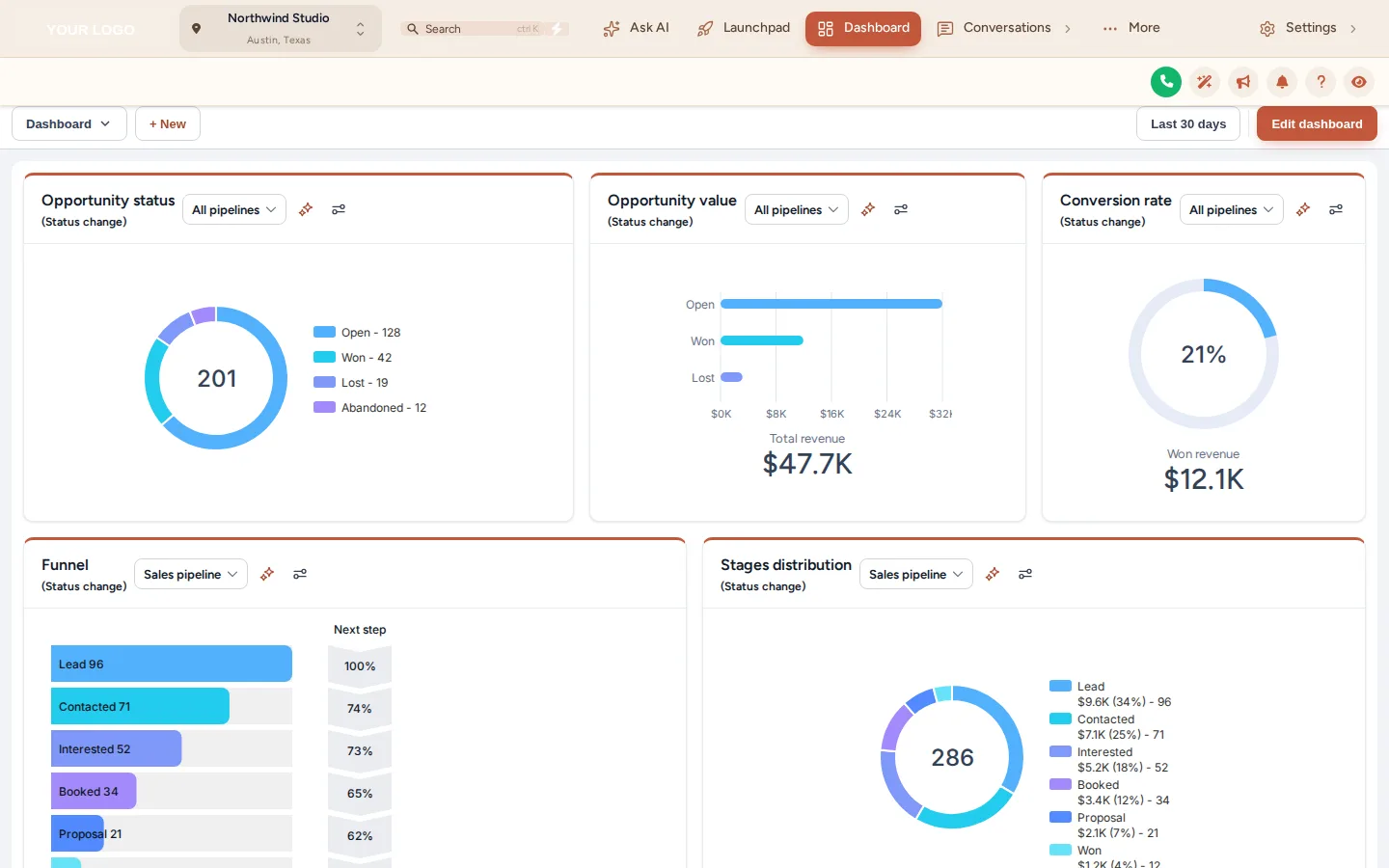
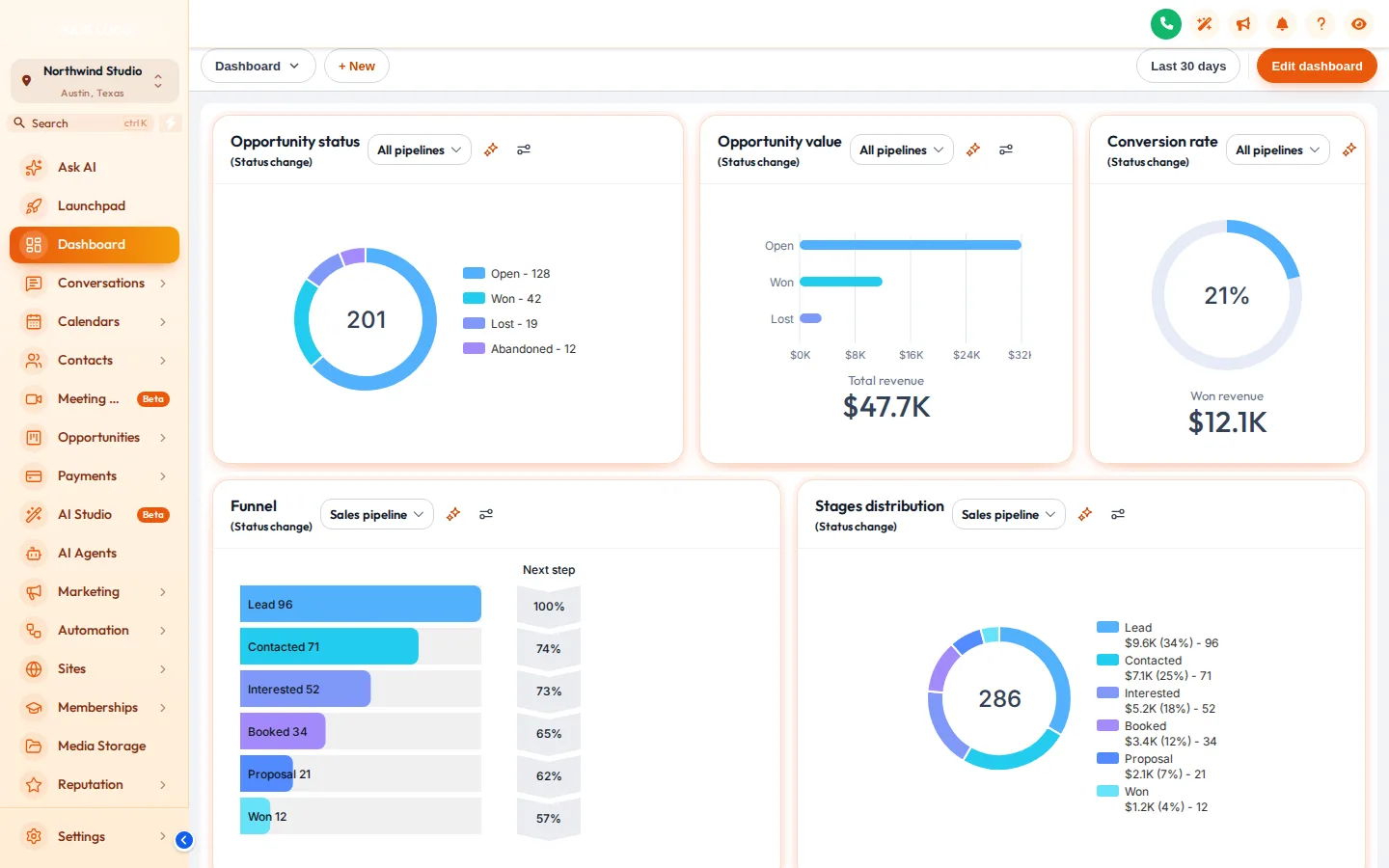
Same account, three looks
Our own captures of the live engine with sample data. Open any of them full size.
CZ-01.5 // AT YOUR HQ
Where agencies use themes
One brand across a big book
A theme set at agency level covers every location under your white-label domain, so client number forty looks exactly like client number one.
Dark mode for the night shift
Teams working leads late in the evening can run the same theme in dark mode. Colour pairs are set per mode, so contrast holds instead of washing out.
Demos that sell the platform
A prospect who sees your colours in the sales call is looking at your product. Pair it with privacy mode and you can demo a live account without exposing a client.
A second brand, kept apart
Run a sister agency or a niche brand? Workspaces hold separate setups, so each brand keeps its own theme without one overwriting the other.
CZ-01.6 // SET IT UP
Apply a GHL theme in four moves
You do this yourself, in minutes, after your login arrives. Nothing is installed twice.
- 01
Open the theme gallery
Log in to the customizer, open Themes and scroll the gallery. Each card shows the sidebar, accent and login it ships with.
- 02
Apply a theme and a UI kit
Click a theme to load it into the live preview, then try UI kits over it. Nothing reaches GoHighLevel until you publish.
- 03
Brand it
Add your logo, brand colour and font, and check dark mode. The preview shows both the sub-account and the agency view.
- 04
Publish
Press publish. If the one-line install is already in GoHighLevel, every account picks up the new theme on its next page load.
CZ-01.7 // PACKAGES
Compare all packagesThemes
Included in every package
One-time payment, lifetime access. Login emailed within minutes (max 24 hours). You set it up yourself in the live editor.
CZ-T1
HQ Basic
$297
CZ-T2
HQ Command
$747
CZ-T3
HQ Empire
$1,497
CZ-01.8 // QUESTIONS
Themes questions
What is a GHL theme?
How many themes and UI kits come with the account?
Does dark mode work with every theme?
Will a theme change how GoHighLevel works?
Is this the same as writing my own GHL custom CSS?
Can different sub-accounts use different themes?
What does "GoHighLevel white label theme" mean here?
Which package do I need for themes?
CZ-01.9 // RELATED MODULES
Modules that sit next to themes
The modules agencies usually set up next, each with its own live preview.
CZ-01.10 // DEPLOY THE LOOK
Put your brand on every sub-account
All themes, UI kits, dark mode and login designs are in HQ Basic. One payment, lifetime access.
One-time payment, lifetime accessLogin by email in minutesOne-line install
GHL Customizer accounts run on the GHL Customer Care customizer platform (customizer.ghlcustomercare.com); AgencySnapshotHQ sells the account packages on this page. GoHighLevel and HighLevel are trademarks of HighLevel Inc. This product is independent: not affiliated with, endorsed by, or a reseller of HighLevel Inc. Previews use sample data and a copy of the GoHighLevel interface.