CZ-02 // LOGIN PAGE
From HQ BasicA GHL login page design that opens your platform
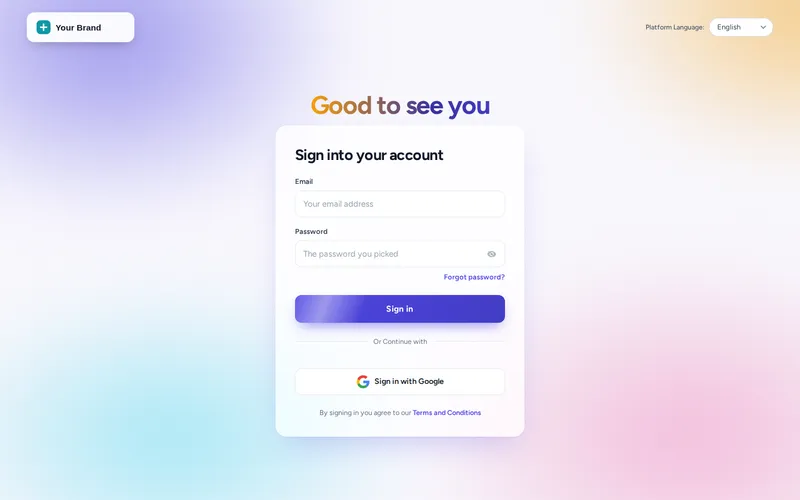
A GHL login page design from the customizer replaces the stock GoHighLevel sign-in with one of 16 animated designs: gradient mesh, aurora, split hero, photo wall and more. It covers the sign-in, two-factor and password reset screens, takes your logo and colours, and installs with one CSS line.
One-time payment, lifetime access. Login emailed within minutes.
CZ-02.1 // PROBLEM TO OUTCOME
A login that keeps the promise
THE PROBLEM
The login page is the first screen every client sees every single day, and on most agencies it is a plain white box with a logo dropped on top. It undoes the impression the sales call made.
THE OUTCOME
Your login opens on a designed screen in your colours, with motion, a headline you control and matching two-factor and reset pages. Clients feel they are signing in to your platform, because they are.
CZ-02.2 // LIVE PREVIEW
Try every login design live
Design
Screen
The same CSS that ships to GoHighLevel, on a copy of the real GoHighLevel login markup. Switch screens to see the two-factor and password reset pages wear the same design.
CZ-02.3 // DESIGN DETAIL
Built for the screen clients see most
16 animated designs
From quiet minimal glow to cinematic and holographic. Motion respects reduced-motion settings on the visitor’s device.
Three screens, one design
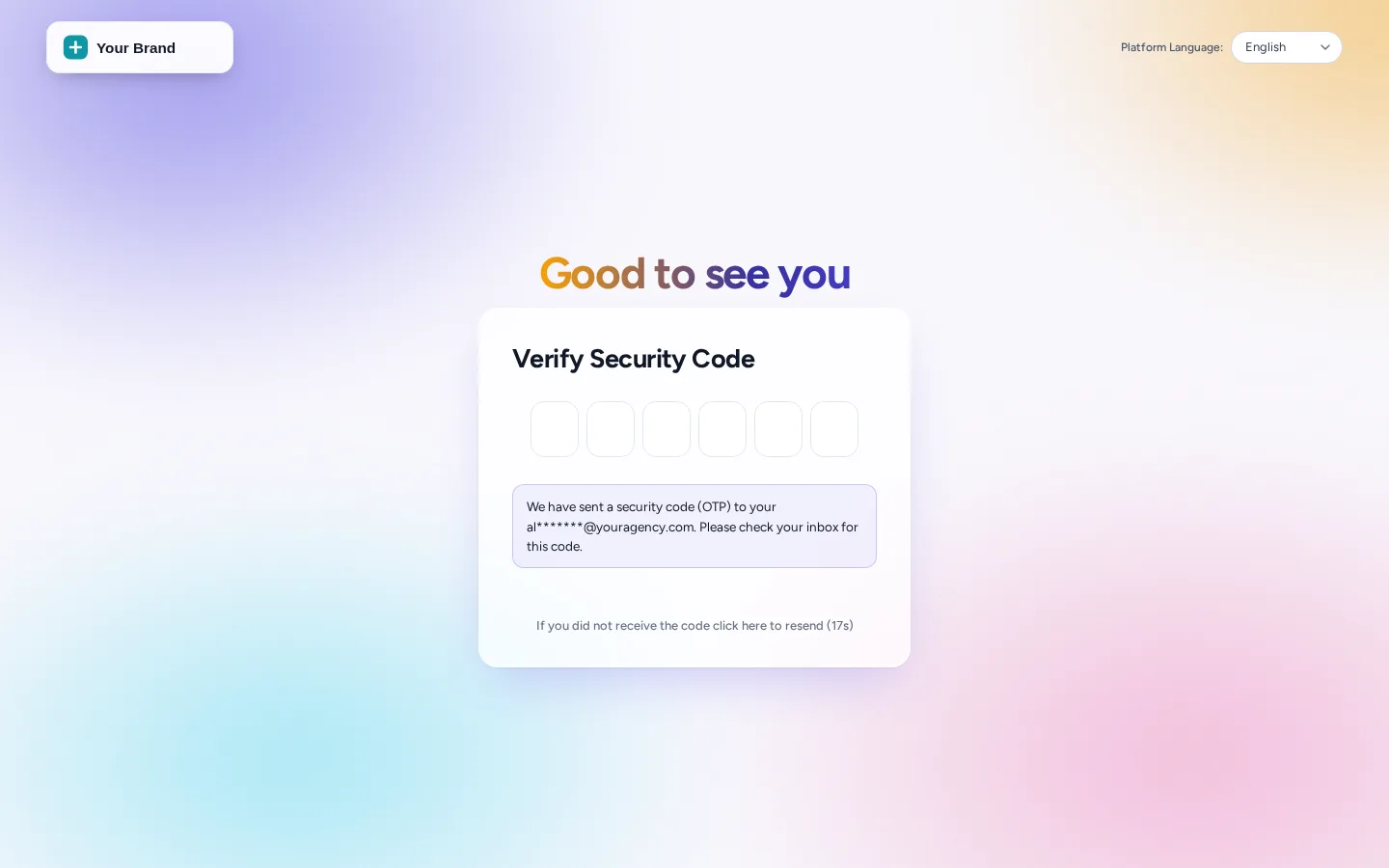
Sign-in, two-factor code and password reset are all styled, so nothing falls back to the default halfway through.
Your words
Set the headline and sub-line for each screen, add rotating quotes on the designs that support them, and choose the logo treatment.
Follows your brand
Designs can take your brand colour automatically, so a theme change recolours the login too.
STEP 01
Open Login page
In the editor, open the login section and switch it on. The preview shows the GoHighLevel sign-in markup with your settings applied.
STEP 02
Choose a design
Click through the designs. Check the two-factor and reset screens in the same preview before you decide.
STEP 03
Add your words and logo
Set the headline and sub-line, pick the logo style and decide whether it follows your brand colour.
STEP 04
Paste the CSS line once
Add the login CSS line to GoHighLevel’s white-label settings. Future design changes publish without touching it again.
CZ-02.4 // AT YOUR HQ
When the login page matters
Onboarding day
The welcome email links to a login that matches the proposal deck, so the first click after signing feels like a continuation, not a downgrade.
A line you can change
Use the login headline for a seasonal message, a new feature or a support number. Change it in the editor; it is live on the next visit.
Security screens that match
Two-factor and password reset are where clients get nervous. A consistent design there reads as legitimate rather than as a phishing page.
Different brands, different doors
Agencies with more than one brand can keep a login design per workspace, each on its own white-label domain.
CZ-02.5 // CAPTURES
The two-factor screen, matched
Our own captures of the live engine with sample data. Open any of them full size.
CZ-02.6 // PACKAGES
Compare all packagesLogin page
Included in every package
One-time payment, lifetime access. Login emailed within minutes (max 24 hours). You set it up yourself in the live editor.
CZ-T1
HQ Basic
$297
CZ-T2
HQ Command
$747
CZ-T3
HQ Empire
$1,497
CZ-02.7 // QUESTIONS
Login page questions
Can I customise the GoHighLevel login page?
How many login page designs are there?
Do the two-factor and password reset pages change too?
Will the animation slow the login down?
Does the login page need a white-label domain?
Can I write my own headline on the login page?
Is the login design included in HQ Basic?
What if I want my own background photo?
CZ-02.8 // RELATED MODULES
Modules to pair with the login
The modules agencies usually set up next, each with its own live preview.
CZ-02.9 // DEPLOY THE LOOK
Open your platform with your login
Every login design is in HQ Basic, with themes, UI kits and dark mode.
One-time payment, lifetime accessLogin by email in minutesOne-line install
GHL Customizer accounts run on the GHL Customer Care customizer platform (customizer.ghlcustomercare.com); AgencySnapshotHQ sells the account packages on this page. GoHighLevel and HighLevel are trademarks of HighLevel Inc. This product is independent: not affiliated with, endorsed by, or a reseller of HighLevel Inc. Previews use sample data and a copy of the GoHighLevel interface.