THE SHORT VERSION
- A snapshot carries logic, not a calendar. You run a season by changing the custom values your workflows read and switching seasonal workflows on and off, never by rebuilding them.
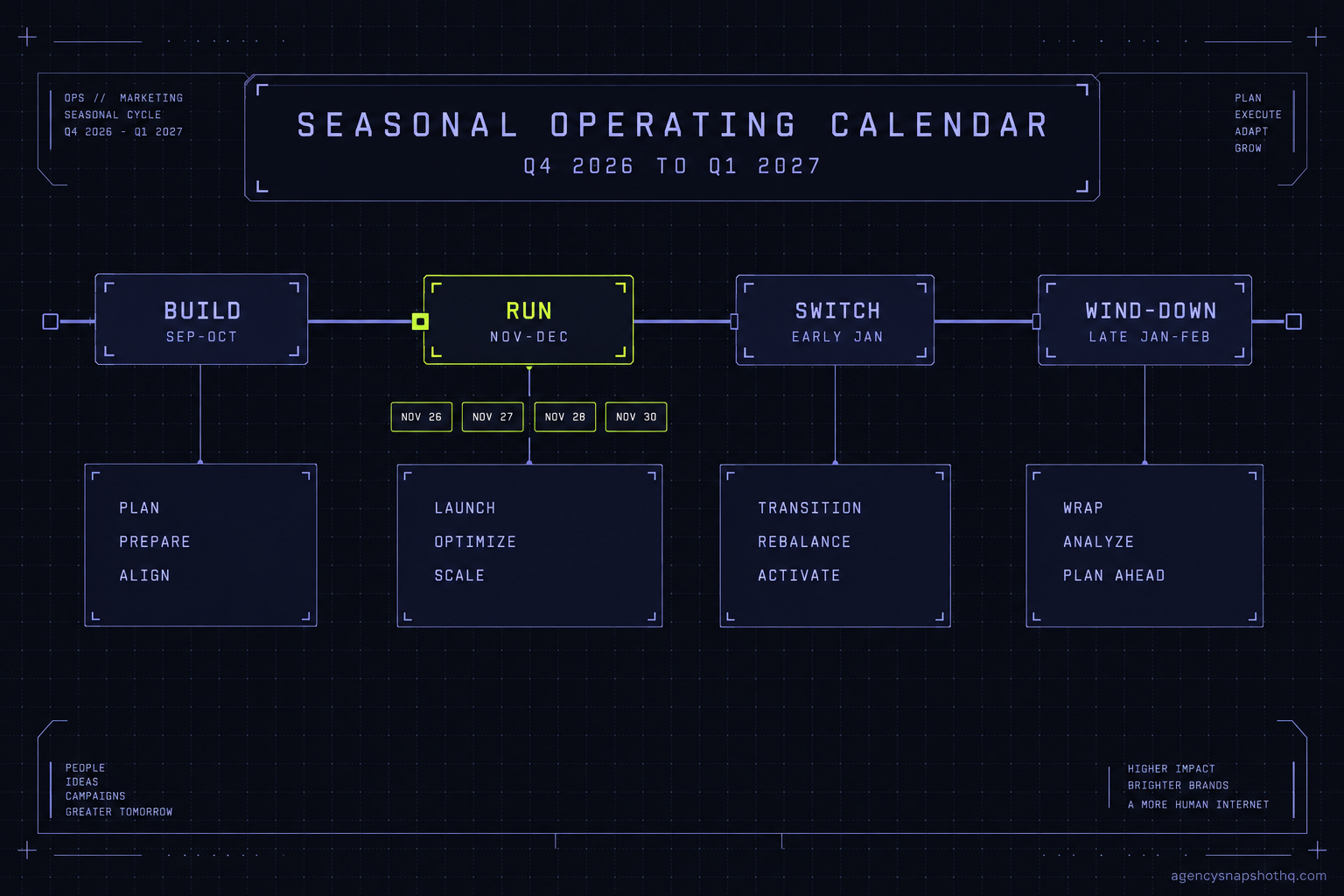
- Build in September and October, run promos from November through December 24, switch everything over in the first working week of January, then wind the urgency down by late January.
- The highest-value hour of the quarter is the January switch: set every Q4 promo back to draft, clear the expired-offer values, and turn paused automations back on.
- Start A2P 10DLC registration in September, not November. It is the one step whose clock you do not control, and an unregistered number sends nothing however good the workflows are.
- Put every seasonal fact, the offer, the deadline, the holiday hours, the gift-card link, in a custom value, so a whole quarter of copy switches live in one screen per account.
It’s the second Tuesday of January. Your gym client’s account is doing exactly what you built it to do, and that is the problem. Two hundred leads came in over the New Year weekend, the intake workflow fired on every one of them, and every one of them got a text that opens “Beat the holiday rush, sign up before December 31.” December 31 was twelve days ago. The offer is dead. The link lands on a funnel you archived. Two floors down in the same account, the no-show recovery that would have saved a third of this week’s missed sessions is switched off, because someone paused it on December 22 so the studio would not text people on Christmas morning, and nobody switched it back on.
Nothing broke. Every asset ran. The account did last quarter’s job this quarter, because a snapshot does not know what month it is. That is the whole thing a seasonal calendar fixes. Not more automation. A decision about what runs when, and what stops.
Here is the operating calendar for a GoHighLevel agency running its clients through the fourth quarter and out the other side. Mid-September is when you build it, which is why you are reading this now and not in December. The sequence below is dated, it has a preparation window at the front and a wind-down at the back, and it assumes you are running the same handful of snapshots across five to fifteen sub-accounts rather than hand-building each account.
The shape of the season
A snapshot carries logic, not awareness. The workflow that says “when a lead comes in, wait ten minutes, then send the offer text” is permanent. The word “offer” inside that text is a custom value, and the custom value is what has a season. This is the single mechanical fact the whole calendar hangs off: you do not rebuild workflows for Q4, you change the values they read and you change which workflows are switched on.
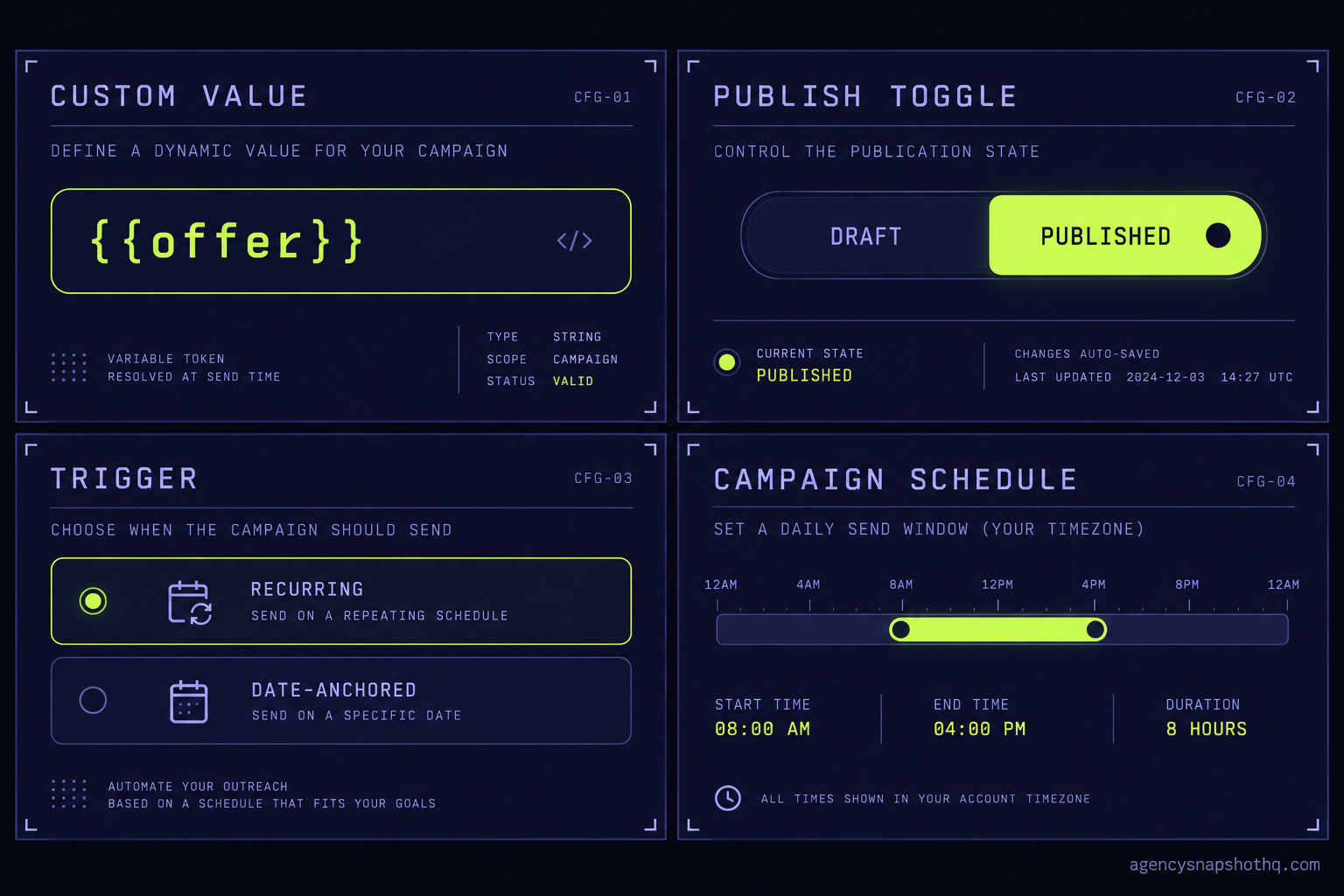
That gives you four levers, and it is worth being precise about where each one lives in GoHighLevel, because the failures later all come from pulling the wrong one.
The first lever is the custom value. Under Settings, Custom Values, a field like {{custom_values.current_offer}} or {{custom_values.offer_deadline}} is referenced by every seasonal message. Change it in one place and every workflow, funnel and email that reads it updates at once. If your snapshot hard-codes “December 31” into the body of a workflow email instead of reading a value, you have as many edits to make as you have messages, times the number of sub-accounts. That is the difference between a fifteen-minute switch and a lost afternoon.
The second lever is the workflow publish toggle. Every workflow has a Draft or Published state and, separately, an execution window some triggers respect. A seasonal sequence that only makes sense in December is published in late November and set back to draft in early January. Switched off, it holds its history and its stats, it just stops enrolling new contacts.
The third lever is the date-anchored trigger versus the recurring one. A trigger that fires “on a contact’s birthday” is recurring and safe to leave running all year. A trigger that fires “on this date” or reads a deadline value is seasonal and dangerous to leave running, because it does not expire on its own. This is the distinction that catches people.
The fourth lever is the campaign and its schedule. Bulk sends have send windows and quiet hours. Around the peak retail dates those windows matter more than usual, both because your clients want to hit specific mornings and because carriers are less forgiving of a sudden volume spike from a number that was quiet all autumn.
Here is the calendar those four levers run on. Treat the dates as the frame, not the law: a roofing client and a restaurant client share the structure and disagree on the details.
| Window | When | What you stand up | What you switch off |
|---|---|---|---|
| Build | Mid-September to late October | Seasonal custom values, Q4 offer funnels, gift-card path where it fits, A2P checked and registered | Nothing yet |
| Run | November 1 to December 24 | Promo campaigns, holiday hours values, seasonal nurture, deadline-driven sends | Standard “off-season” nurture that clashes with the promo |
| Switch | First full week of January | New-year intake sequence, reactivation of dormant lists, no-show recovery back on | Every Q4 promo, every expired-offer value, holiday-hours values |
| Wind-down | Mid-January to late February | Steady-state nurture returns, review requests resume their normal cadence | New-year urgency language, January-only offers |
The build window: mid-September to late October
You are doing three things in the build window, and none of them send a single message to a real contact.
First, you set the seasonal custom values as drafts. Create the fields now if the snapshot does not already carry them: an offer name, an offer deadline, a holiday-hours block, a gift-card link if the vertical uses one. Leave them empty or pointed at a placeholder. You are laying track.
Second, you build the Q4 funnels and the January intake sequence while you have time and attention, not on November 3 when a client is asking why their promo is not live. Build them in your canonical source sub-account, the master copy every client account is installed from, and push them out. If you are running one snapshot across many accounts, the same discipline you use for any rollout applies, a single source account and waves of three, and the seasonal build is just another change you push from the source.
Third, and this is the one people skip until it hurts, you check A2P registration on every number that will carry Q4 volume. If a client signed in August and their brand is registered and their campaign approved, you are fine. If a client is new, or you are standing up a new number for a seasonal line, registration and carrier vetting take time, and a rejection costs you another cycle. Unregistered traffic to US mobile numbers is rejected at the carrier edge, not slowed down, so a snapshot that “works” in testing sends nothing in production. Start it in September. The full picture of what gets a campaign rejected is in the A2P guide, and it is the one item on this calendar that is genuinely not in your control.
The run window: November 1 to December 24
This is the loud part, and it is mostly a matter of pointing the levers you built.
On roughly the first of November you fill the seasonal custom values you drafted in September. current_offer gets the real offer. offer_deadline gets the real date. Holiday-hours values get the client’s actual closures. Because every message reads these values, you have just switched a whole quarter of copy live in one screen per account.
You publish the promo workflows and campaigns. You leave the recurring, all-year automations alone: the missed-call text back, the booking confirmations, the birthday note. You switch off any off-season nurture that would talk over the promo, because a contact getting a “we miss you” reactivation email and a “last chance, ends December 31” text in the same afternoon reads as two different businesses.
Then the calendar dates do real work, and they are worth having in front of you. In 2026, Thanksgiving falls on November 26, Black Friday on November 27, Small Business Saturday on November 28, and Cyber Monday on November 30. Those four days are where your clients want their bulk sends landing in the morning, not the afternoon, and where a number that was quiet since spring suddenly wants to send a few hundred messages at once. That surge is real and measured: on Cyber Monday 2024, Twilio’s SendGrid alone processed 11.7 billion emails, up 14.2% year on year, and Sinch’s Mailgun reported email volume up 33% on both Black Friday and Cyber Monday. Your client’s few hundred messages are landing inside that traffic, and carriers judge a number by how it behaves. Warm the sending up across the two weeks before rather than going from silent to peak in one morning, so the account reads as a steady sender and not a dormant number that suddenly woke up. A restaurant client wants the gift-card push landing the week of Small Business Saturday; a restaurant snapshot that already carries the seasonal automation just needs the values and the send dates. An HVAC contractor wants the “book your heating check before the first freeze” sequence live in early November, not December, because by December the freeze already happened.
The last three or four days before Christmas are a wind-forward, not a wind-down. You are queueing the January switch, not doing it yet. Draft the new-year sequences, confirm the reactivation list is built, and set your own reminder for the first working week of January, because the switch is the step that gets forgotten precisely because it happens while everyone is off.
The switch: the first full week of January
The switch is the highest-value hour of the whole quarter and the one most likely to be skipped, because by early January the busy feeling is over and the promo already ran. Do not skip it. This is where the gym scene at the top of this piece goes wrong.
Work it in one sitting, per account, in this order. Switch off every Q4 promo workflow: back to draft, not deleted, so next year’s version starts from this one. Clear or repoint the expired-offer values, so no live message can still read “ends December 31.” Reset holiday-hours values to normal. Switch the no-show recovery and the standard intake back on if they were paused over the holidays. Publish the new-year intake sequence, which is the one that actually greets the January rush. And turn on reactivation against the dormant list, because the people who ghosted you in October are, briefly, in a new-year frame of mind.
January is not a quiet month for every vertical. It is the New Year rush for gyms and fitness studios, and a heavy intake month for anything health, wellness or “fresh start” shaped. An account that spent December running a holiday promo needs to be a different account by January 6, and the switch is what makes it one.
The wind-down: mid-January to late February
The wind-down is short and it is about removing urgency. New-year language has a shelf life of about two weeks. By the third week of January, “new year, new you” reads as a business that has not looked at its own account since Christmas. Retire the January-only offers, let the steady-state nurture take back over, and return review requests to their normal cadence so you are collecting through the spring rather than only in bursts. Then the account is back to its all-year baseline, and the seasonal layer sits dormant in draft until September, when you do this again.
Where the season breaks
Five failures account for almost every seasonal mess I have seen in a GoHighLevel account. Each one looks like a bug and is actually a calendar that nobody drove.
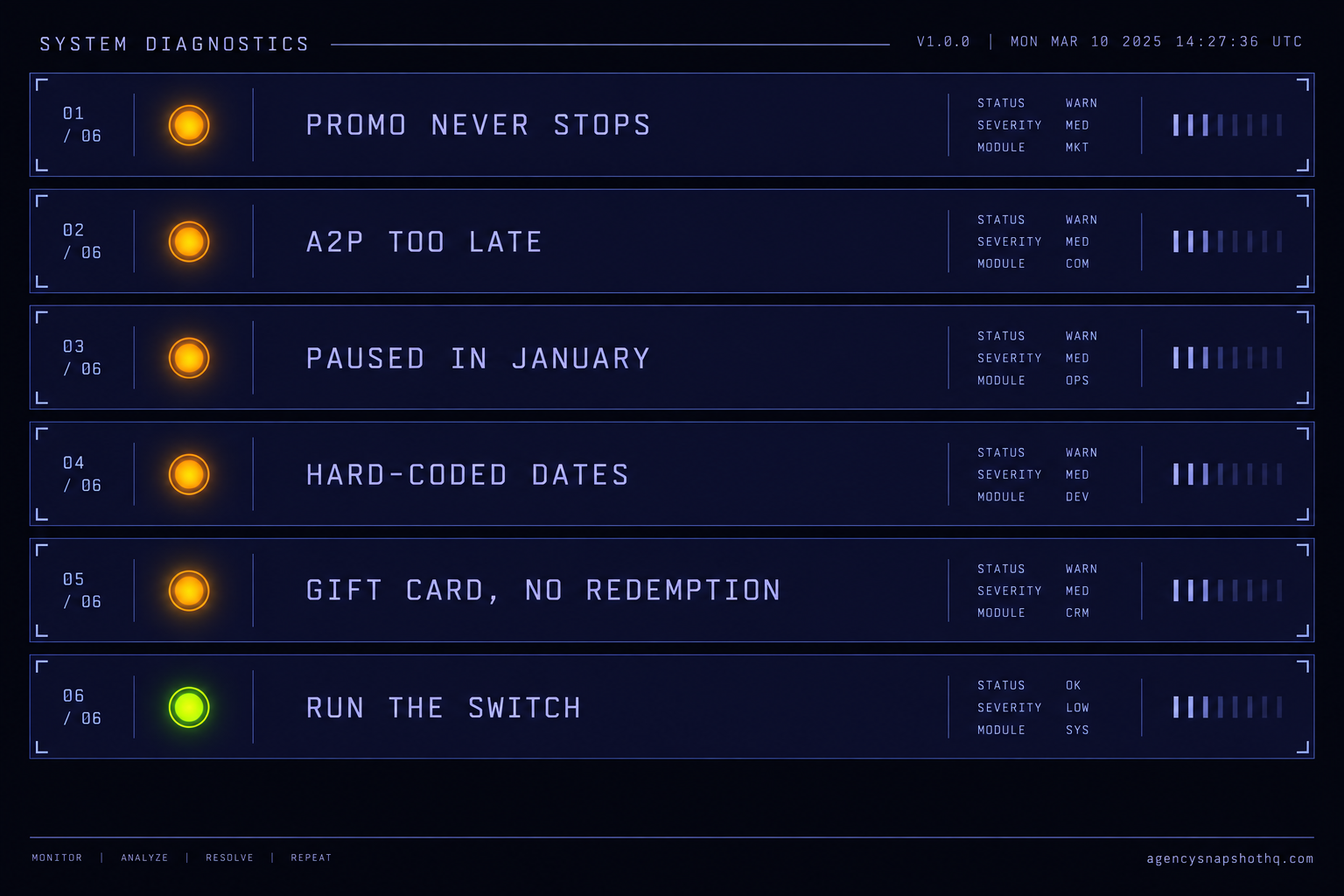
The promo that never stops sending
This is the gym at the top. A deadline-driven message keeps sending after the deadline because the copy lived in the workflow body instead of a custom value, or the workflow was never set back to draft, or both. What the client sees is a January lead getting a December offer. What is actually wrong is that nobody ran the switch. The fix is structural and it is the whole point of the calendar: deadlines live in values, seasonal workflows live in the publish toggle, and the first working week of January has a hard checklist that flips both. If you only take one habit from this piece, take the switch.
A2P registered in November for a December launch
An agency lines up a beautiful Q4 promo, builds it in October, and starts A2P registration when the campaign is ready to launch in late November. The brand vetting and the campaign approval do not clear in time, the sends are rejected at the carrier edge, and the promo that was supposed to run for a month runs for a week. What the client sees is silence where a text campaign should be. What is actually wrong is sequencing: registration is the one step whose clock you do not control, so it goes first, in September, not last. Brand registration alone can take up to five business days, and campaign vetting has run to roughly two weeks when submission volume is high, which is exactly what late November is. Email and the AI receptionist can carry an account for a week while SMS is pending, but they cannot carry a whole Q4.
The January rush hits a paused account
Someone pauses automations in late December for good reasons: nobody wants a studio texting leads on Christmas morning, or a dental office confirming appointments on a day it is closed. Then the holidays end, volume returns, and the automations are still paused. What the client sees is new leads going cold and no-shows climbing in the busiest week of their year. What is actually wrong is that “pause for the holidays” was never paired with “un-pause on the first working day.” Pausing is fine. Pausing without a dated reminder to reverse it is how the review automation that should be collecting five to ten reviews a month collects zero all January.
Seasonal values hard-coded into workflows
A workflow email that says, in its own body, “our holiday hours are 9 to 2” is a small landmine. It cannot be changed in one place, it will still say that in March, and across ten sub-accounts it is ten identical edits every time the hours change. What the client sees is stale information sent confidently. What is actually wrong is that a seasonal fact was written as a permanent one. Everything that changes with the season, offer, deadline, hours, gift-card link, belongs in a custom value the workflow reads, so the message is permanent and the fact inside it is not.
The gift-card funnel with nowhere to land
Gift cards are the most common Q4 addition and the one most likely to be half-built. The funnel captures the sale, and then the fulfilment is a manual step nobody owns, or the confirmation email references a redemption process the client has not set up. What the client sees is angry buyers in January holding a code that does nothing. What is actually wrong is that the automation was built and the operation behind it was not. A gift-card path is only worth standing up if the redemption side exists, and that redemption side is a client conversation you have in September, not a workflow you ship in November. This is exactly the kind of third-party or operational piece that a snapshot cannot carry, and it is worth being honest with the client that the automation is the easy half.
What the season is actually worth
The seasonal layer is cheap to run and expensive to skip, and the arithmetic is worth doing per account rather than in the abstract. Every figure below is either our own published price, which you can check on the page it links to, or a stated assumption you should replace with your own.
Start with the cost of doing it by hand across a book of accounts. Say you run eight sub-accounts. The build window is a few hours of real work in your source account, then the seasonal push. Call the switch in January thirty focused minutes per account if the account was built to read values, and closer to two hours per account if it was not, because you are hunting hard-coded dates through individual assets. At eight accounts that is four hours done right against sixteen hours done wrong, and the sixteen-hour version is the one that also misses things. Put your own hourly value on that gap. The number that matters is not the hours, it is that the entire difference is decided back in the build window by whether deadlines live in values.
Now the managed alternative, priced from our own rate card. Pushing a seasonal update out cleanly across a set of accounts is what the snapshot update service does, at $1,650, and running the season for you week to week, the sends, the switch, the wind-down, is what the GoHighLevel VA service covers at $1,150 a month for 80 hours. The dormant list recovery campaign, at $1,800, is the January reactivation built and run as one piece rather than bolted onto your own to-do list in the busiest month. None of these is a snapshot, so none of them touches the snapshot price floor; they are scoped work, quoted and agreed on a call.
The upside is easier to state as a target than a promise, because it is the client’s own number and it is the honest one. The no-show recovery sequence is built to a 70% no-show recovery target, and for a fitness or wellness account January brings a surge of new appointments, which is a surge of no-shows to recover. Recovering a busy month’s no-shows is worth more than recovering a quiet one’s. The review engine is built to bring in five to ten reviews a month, and an account that goes dark for January collects none of them in the month new customers are most actively searching. Neither figure is a measured outcome we can show you from your own account; both are the system’s targets, and the point of the calendar is simply that a switched-off account hits neither.
The objections you should hear yourself out on
“This is a lot of process for a slow season.” For some verticals Q4 is slow, and the calendar is lighter for them: a B2B professional-services account may do very little in December and everything in January. But the wind-down and the switch still apply, because the failure mode that hurts is not the missed promo, it is the December message still sending in February. Even a client who runs no Q4 promo needs holiday hours set and un-set. The process scales down; it does not disappear.
“Can’t I just do this in December when it’s obviously time?” You can, and it will cost you more and go worse. December is when your clients are busiest and least responsive, when your own attention is thinnest, and when A2P registration is already too late to start. The reason the build window is September is that everything in it is boring, and boring work is cheap in September and expensive in December. The calendar is mostly a device for moving the work to when it is cheap.
“Why would I pay you to run a season I can run myself?” You should not, if you have the hours. An agency with time and a well-built source account runs this calendar on its own for the cost of the afternoons it takes, and the pricing page exists so you can see exactly where paying us starts to beat doing it yourself. The honest line is that the update service and the VA are worth it when the season collides with everything else you are trying to close in Q4, not as a substitute for understanding the calendar. If you do not know what the switch is, no service will save you from skipping it; if you do, you can decide whether your January hour is better spent on it or on selling.