CZ-10 // FLOATING WIDGETS
From HQ EmpireA GHL floating widget that keeps contact in reach
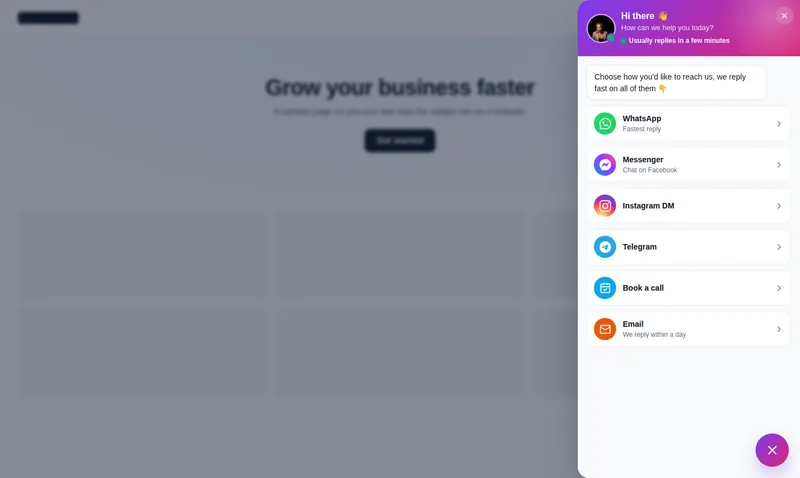
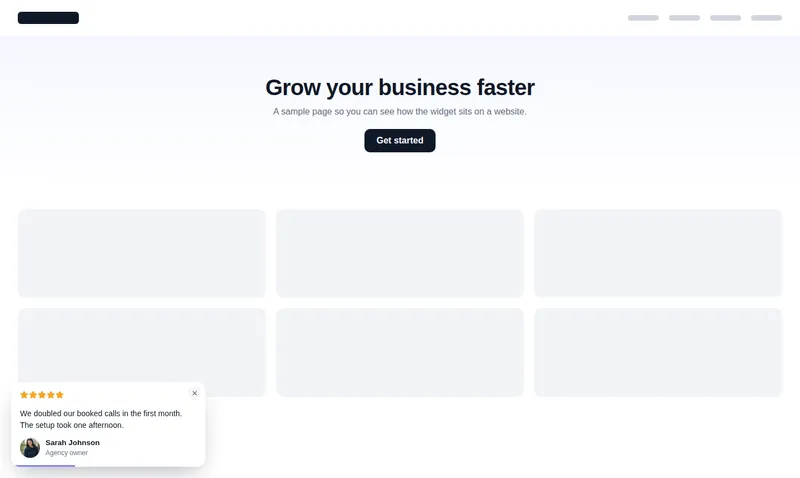
A GHL floating widget from the customizer is a button that stays in the corner of every page and opens into a contact hub, social links, a form, reviews, a video or an embedded page. There are 51 templates in 7 types, with 6 launcher shapes, 8 opening animations and 8 styles, up to 10 live.
One-time payment, lifetime access. Login emailed within minutes.
CZ-10.1 // LIVE PREVIEW
Open every floating widget live
Type
Template
Page
Show
Each chip is a real template drawn by the engine that runs on your site. Click the launcher inside the frame to close and reopen it; nothing is sent anywhere.
CZ-10.2 // AT YOUR HQ
Where a floating widget earns its corner
Contact hub for local clients
Call, text, WhatsApp and book in one drawer: the right widget for trades and clinics whose visitors want to talk now.
Social links that fan out
One button that opens every social profile, instead of a row of icons in the footer nobody scrolls to.
A form without a page
A floating contact form captures the enquiry where the visitor already is.
Video in the corner
A short welcome or explainer video that opens from the launcher.
CZ-10.3 // PROBLEM TO OUTCOME
A hunt for the contact page versus one tap
CZ-10.3 // BEFORE
A visitor ready to talk has to scroll back to the header or hunt for the contact page, and by then the moment has passed. Each extra step costs leads.
CZ-10.3 // AFTER
A launcher in the corner opens a contact drawer with call, chat, email and booking in one place, on every page, at the moment the visitor decides. Form submissions go into GoHighLevel.
- Templates
- 51
- Widget types
- 7
- Opening animations
- 8
- Live at once
- 10
CZ-10.4 // WHAT YOU GET
Shapes, motion and channels
51 templates
Contact and chat hubs, social links, forms, reviews, embedded pages, video and multi-tab widgets.
6 shapes, 8 animations
Circle, pill and more, opening as a fan, drawer, sheet or popover.
8 styles
Light, dark, glass, gradient and others, each with an accent colour you set.
Leads into GoHighLevel
Form widgets send their submissions into GoHighLevel.
CZ-10.5 // SET IT UP
Add a floating widget in four moves
You do this yourself, in minutes, after your login arrives. Nothing is installed twice.
- 01
Pick a widget type
Contact hub, social links, form, reviews, embed, video or multi-tab.
- 02
Choose a template
Try templates open and closed in the preview, on a website or inside GoHighLevel.
- 03
Add your channels
Enter your phone, chat links, booking page or form fields, and set the accent colour.
- 04
Publish
Publish to your site or a client site; it appears on every page.
CZ-10.6 // PACKAGES
Compare all packagesFloating widgets
Included from HQ Empire up
One-time payment, lifetime access. Login emailed within minutes (max 24 hours). You set it up yourself in the live editor.
CZ-T3
HQ Empire
$1,497
CZ-10.7 // QUESTIONS
Floating widgets questions
What is a floating widget?
How many floating widget templates are there?
Can a floating widget run inside GoHighLevel?
Does it replace the GoHighLevel chat widget?
How many can be live?
Will it cover content on mobile?
Do form submissions reach GoHighLevel?
Can I match it to a client’s brand?
CZ-10.8 // RELATED MODULES
Modules to pair with floating widgets
The modules agencies usually set up next, each with its own live preview.
CZ-10.9 // DEPLOY THE LOOK
Keep the next step in reach
Floating widgets come with HQ Empire, together with popups, notifications and calculators.
One-time payment, lifetime accessLogin by email in minutesOne-line install
GHL Customizer accounts run on the GHL Customer Care customizer platform (customizer.ghlcustomercare.com); AgencySnapshotHQ sells the account packages on this page. GoHighLevel and HighLevel are trademarks of HighLevel Inc. This product is independent: not affiliated with, endorsed by, or a reseller of HighLevel Inc. Previews use sample data and a copy of the GoHighLevel interface.